
Choose Tails when you need a portable session, want the default workflow to forget local activity after shutdown, and can reboot into a dedicated environment. Choose Whonix when you need a persistent Linux workspace, stronger separation between applications and Tor routing, and can maintain a supported virtualization or host setup. Neither system makes unsafe accounts, identifying documents, browser changes, or mixed identities anonymous.
Whonix vs Tails at a glance
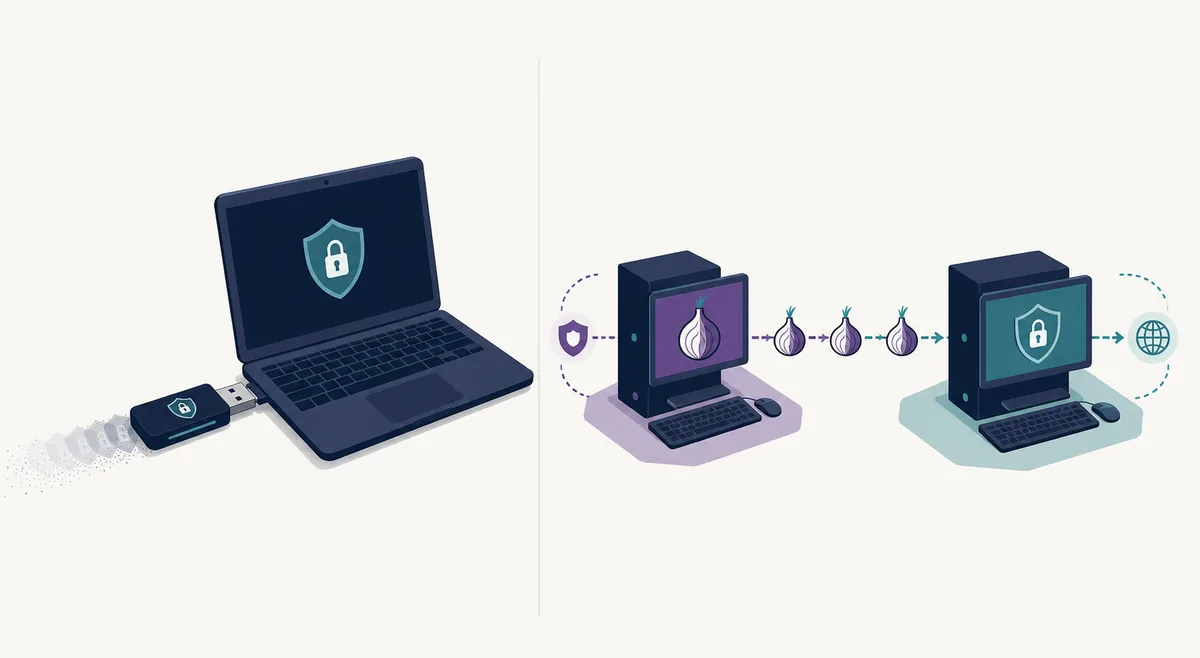
The central difference is not that one project uses Tor and the other does not. Both are designed around Tor. The difference is where isolation happens and what remains after the session. Tails boots as its own operating system, normally from removable media, and is amnesic unless you explicitly enable Persistent Storage. Whonix normally runs two coordinated systems: Whonix-Gateway handles Tor traffic and Whonix-Workstation holds user applications.
That design changes everyday behavior. Tails asks you to reboot into a separate environment and finish the session by shutting down. Whonix can support a longer-running workspace with snapshots, updates, installed tools, and separate workstation identities, but the security of that arrangement also depends on the host, hypervisor, configuration, and operational discipline.
For a Linux-focused workflow, compare the whole environment rather than only the kernel or desktop. Tails replaces the active system for a session and needs compatible hardware and a bootable USB; Whonix keeps a Linux workstation inside a host and adds Gateway, virtualization, storage, and update responsibilities.
| Decision factor | Tails | Whonix |
|---|---|---|
| Primary design | Portable live operating system | Separated Tor Gateway and Workstation |
| Default persistence | Amnesic; optional encrypted Persistent Storage | Persistent virtual or installed workspace |
| Host dependence | Boots independently on compatible hardware | Depends on host and virtualization or supported platform |
| Portability | High with a dedicated USB | Lower; tied to a maintained host setup |
| Compartmentalization | One Tails session with application safeguards | Network gateway separated from workstation |
| Learning curve | Simpler default path | More components and maintenance decisions |
| Typical fit | Travel, temporary sessions, shared or untrusted computers | Repeatable research, persistent pseudonyms, isolated workspaces |
A portable amnesic system and a compartmentalized persistent system address different failure modes. The safer option is the one you can operate correctly for the specific adversary, device, account, and data you face.
Architecture: live USB versus Gateway and Workstation
Tails controls the whole operating-system session after you boot it. Applications are configured to use Tor, direct networking is restricted, and shutdown is intended to remove the volatile session from memory. This reduces reliance on the installed operating system for the active Tails session, although firmware, hardware, network observation, and user actions remain outside that promise.
Whonix uses separation. The Workstation should not know the external IP address, while the Gateway handles Tor connectivity. If an application in the Workstation tries to reach the network, the architecture is intended to force that traffic through the Gateway. This can reduce damage from some application leaks, but a compromised host or badly managed virtualization environment can undermine the separation.
The official Whonix design documentation and the official Tails overview should be treated as the authority for current guarantees and limitations.
- Tails changes the active computer environment by booting a dedicated operating system.
- Whonix changes the network trust boundary by separating the workstation from the Tor gateway.
- Both designs still depend on correct updates, verified downloads, safe accounts, and careful document handling.
Persistence, identity separation, and daily work
Tails forgets the normal session by default. Persistent Storage can retain selected data and settings in an encrypted area, but it should not be mistaken for a conventional installed desktop. This default is useful when local traces are a major concern, yet it also means users must plan backups, updates, and the limited items they choose to persist.
Whonix is usually selected for work that must continue across sessions. A user can maintain a workstation, take snapshots, apply updates, and create separate workstation environments for different roles. That flexibility helps compartmentalization only when identities are genuinely separated. Logging into the same personal account, reusing documents with identifying metadata, or copying unique browser habits across compartments can reconnect them.
For a one-off sensitive session, persistence can become an unnecessary liability. For a long investigation or stable pseudonym, repeated disposable sessions can become error-prone. The practical question is not whether storage is good or bad; it is whether retained state helps the task more than it expands exposure.
- Use Tails Persistent Storage only for selected data you understand and back up.
- Use separate Whonix workstations or snapshots only with a clear identity and update policy.
- Never assume encryption protects data while the session is unlocked or the host is compromised.
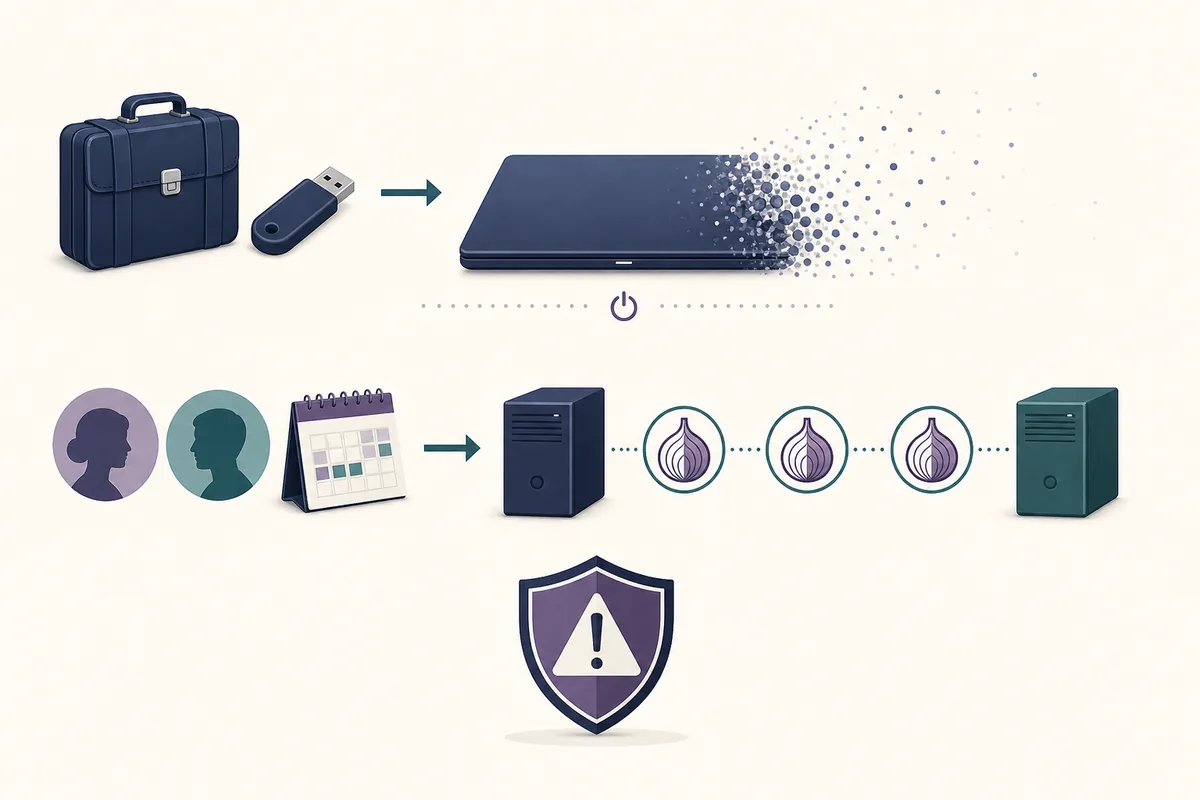
A technical compartment cannot protect two personas if you connect them through accounts, writing patterns, files, contacts, schedules, or repeated browser customization.
Performance, hardware, and usability trade-offs
Tails needs compatible 64-bit hardware, a usable boot menu, and a USB drive that can sustain the live system. It temporarily takes over the computer, so switching back to the installed system requires a restart. Wi-Fi, graphics, Secure Boot, and unusual firmware can affect whether the device starts reliably.
Whonix normally needs enough host resources for multiple systems. Memory, CPU, disk space, hypervisor support, and host security all matter. It may be more convenient for daily desktop work because the environment can remain available, but convenience adds maintenance: the host, virtualization layer, Gateway, Workstation, and snapshots all need deliberate handling.
Tor is often slower than a direct connection in either system. Neither architecture turns large downloads, streaming, or latency-sensitive work into a normal high-speed experience. Performance differences depend heavily on hardware, host load, Tor circuits, websites, and the chosen virtualization arrangement.
- Test Tails on the exact computer, ports, keyboard, display, and network you plan to use.
- Reserve sufficient RAM and storage for Whonix without starving the host or guest systems.
- Do not weaken Tor or browser protections merely to make a difficult site work faster.
Which one should you choose?
Start with the task, not the product name. Tails is usually the clearer first choice for travel, temporary research, emergency access, or situations where leaving less local state after shutdown is central. Whonix is usually the clearer fit for a maintained research workstation, multiple persistent pseudonyms, or a workflow that benefits from network isolation between applications and the Tor gateway.
Higher-risk users should not choose from a comparison table alone. Document the adversary, what the adversary can observe or seize, whether the host is trusted, whether accounts must persist, and what happens if the device is inspected while running. Then compare those assumptions with current official documentation and obtain specialist advice when mistakes could endanger a person.
- 1
Define the adversary
List who may watch the network, control the host, seize the device, compromise an account, or correlate identities.
- 2
Decide whether state should survive
Choose between a clean shutdown boundary and a maintained workspace with explicit backups and updates.
- 3
Check the host boundary
If the installed system cannot be trusted, understand how that affects a virtualized setup; if hardware compatibility is uncertain, test Tails before relying on it.
- 4
Separate identities
Plan accounts, files, schedules, communication partners, and browser behavior before creating compartments.
- 5
Verify and rehearse
Use official downloads, follow verification instructions, update every relevant layer, and practice the complete workflow before a sensitive event.
Running privacy systems inside each other or stacking extra proxies can create unsupported complexity. Follow documented configurations unless you can independently analyze the new trust boundaries.
Limits shared by both systems
Tor-based systems can hide the destination from the local network and the source IP from ordinary destination sites, but they do not erase information you reveal. Personal logins, payment details, phone numbers, recognizable writing, unique files, and real-world timing can identify a user regardless of the operating system.
Documents can contain metadata or trigger external network requests. Browser changes can increase fingerprint uniqueness. A seized running session can expose unlocked data. Malware, firmware compromise, physical surveillance, and account takeover require controls beyond choosing Tails or Whonix.
Keep the software current and use official sources. On August 22, 2026, the official Tails download page still showed Tails 7.11 and a 1.8 GB image. This site uses official-page fallbacks rather than unverified or expiring direct file links.
- Neither system makes personal account use anonymous.
- Neither system guarantees protection from a compromised device or active session seizure.
- Neither system removes the need to verify downloads, install security updates, and back up important encrypted data.
Whonix vs Tails: the practical verdict
Tails is the stronger default when the job is portable, temporary, and centered on leaving less state after shutdown. Whonix is the stronger default when the job needs a durable workspace and explicit separation between Tor routing and user applications. Those are defaults, not universal security rankings.
Choose the smallest supported setup that meets the threat model, learn its failure modes, and rehearse it. Complexity that you cannot maintain is not an extra layer of safety.
- Portable and amnesic: start with Tails.
- Persistent and compartmentalized: evaluate Whonix.
- Unclear or high-risk: write the threat model and consult current official guidance.
Whonix vs Tails FAQ
Is Whonix safer than Tails?
Not universally. Whonix emphasizes Gateway and Workstation separation, while Tails emphasizes a dedicated live session and amnesia after shutdown. Safety depends on the threat model, host trust, persistence needs, configuration, and user behavior.
Is Tails better for beginners?
Tails often has the simpler default workflow: verify the official image, create a dedicated USB, boot, connect, and shut down. Hardware boot problems and persistence choices can still require learning.
Can Whonix leave files on the host?
A virtualized Whonix setup depends on host storage, virtualization files, snapshots, logs, and host security. Treat the host as part of the security boundary and follow current Whonix documentation.
Can I use Tails every day?
You can use it repeatedly, but its amnesic design and limited persistence differ from a conventional desktop. If the work needs durable state and multiple maintained compartments, Whonix may fit better.
Do both Whonix and Tails use Tor?
Yes. Both are designed to route supported internet traffic through Tor, but their isolation architecture and persistence model differ.
Is Tails or Whonix better for Linux?
Neither wins for every Linux user. Tails is a better fit when you want to boot a separate live environment and end with a clean shutdown; Whonix is a better fit when you need a maintained Linux workstation with a separate Tor Gateway and can secure the host and virtualization layer.
How does Tails differ from Whonix?
Tails is a portable live operating system with amnesia as the default boundary. Whonix is a persistent, compartmentalized design that separates a Gateway from a Workstation. The difference is architecture and workflow, not a universal safety ranking.
Can I run Whonix inside Tails?
Do not assume stacking systems is safer. It can be unsupported, resource-intensive, and harder to analyze. Use documented configurations unless you understand every added trust boundary.
Technical facts and downloads should be confirmed against the official Whonix design documentation. This independent guide does not host or modify Tails images.